
How to keep a food diary without making it complicated
A food diary lets you save what you eat and look it up later. To start, pick a way of logging that feels comfortable and check the data before saving it. There's no need to turn every meal into a long task.
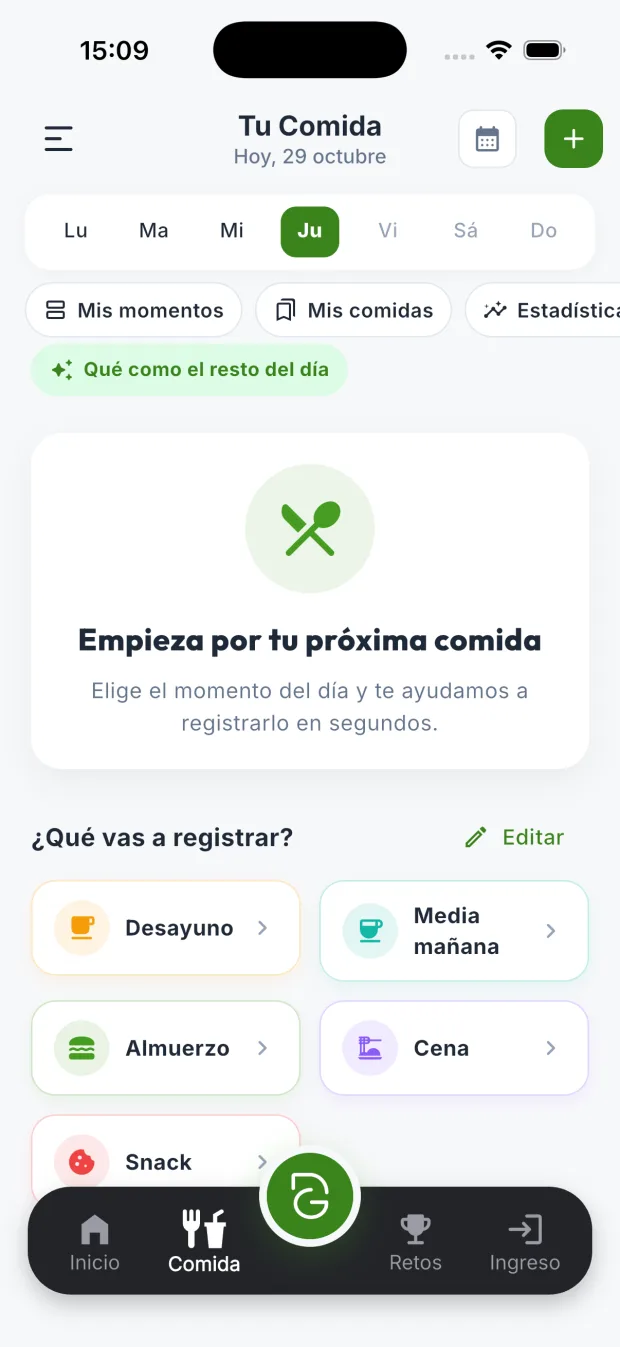
1. Start with the meal moments you actually use
Organize the diary in a way you recognize: breakfast, lunch, dinner or your own times. If you work shifts, the usual names may not fit you. What matters is that when you go back to the log, you can understand what you noted and when.
In “Your Food”, the “My moments” option lets you rename and reorder the moments of the day and add your own. You can try DietaGo in guest mode before creating an account. Start with one meal and get used to logging before adding more detail.
2. Choose between searching, scanning, typing or taking a photo
For a packaged product, the barcode is usually a convenient way to find its entry. Check that the brand and product match. For a prepared dish, you can search for the foods or use a photo, text or voice with AI.
The diary, search and barcode are free. AI recognition uses coins and the cost is shown before you use it. A photo makes the first log easier, but it doesn't turn an estimate into an exact measurement: it may not show the oil, a sauce or the ingredients inside the dish.
3. Check quantities, units and ingredients
Before saving, check whether the quantity is in grams, milliliters or servings. Also check whether the entry describes the food raw or cooked. Logging a whole recipe is not the same as logging the portion you ate: adjust the quantity to that portion.
If you add a recipe, check how many servings it makes and which one is yours. If the AI has interpreted a photo, correct any foods or quantities you don't recognize. The diary's nutritional values depend on that data; they shouldn't be read as clinical evidence or as a personalized guideline.
4. Save what you repeat and fix what you forgot
If you have the same breakfast several days, reusing a saved meal saves typing all the ingredients again. Before copying it, check whether today the quantity or any of its components has changed. A reused entry also needs a quick check.
DietaGo lets you save meals and copy entries between days. If you forget to log something, go back to the relevant day and add it when you can. If you only remember an approximate quantity, treat it as such when you read the summary; there's no need to pretend to a precision you don't have.
5. Read your diary in context
Look over several days to check that the entries are complete and to understand your routines. A single meal or an incomplete piece of data doesn't explain your eating on its own. You can use the diary to remember what you ate, get organized or prepare questions for a professional.
The app shows calories, macros and micronutrients and lets you export the diary to CSV or PDF. It also has a report for your doctor or dietitian: you choose the period and the blocks you want to share. Check the file before sending it and share only what you want to show.
This guide explains how to use the log, not how much you should eat. If you need a nutritional guideline or tracking makes you uncomfortable, consult a qualified professional. The diary is a tool you can adapt to your needs.
Try these features in DietaGo
No subscription. Everyday use is free; AI features use coins.